

Best AI Meeting Notetaker 2026: Granola vs Otter vs Fathom
The best AI meeting notetaker in 2026: Granola vs Otter vs Fathom compared, the free-tier catches, bot vs bot-free, and the consent question.

Researched with AI assistance, reviewed and edited by Tapabrata Biswas.
In this article
- 01What is an AI meeting notetaker?
- 02The quick verdict: which one for which job
- 03Granola vs Otter vs Fathom
- 04The free tier catch nobody mentions
- 05Bot vs bot-free: the 2026 dividing line
- 06Is it legal to record a meeting with an AI notetaker?
- 07You might already have one: Zoom, Teams, and Google Meet
- 08The wider field, in brief
- 09Pricing at a glance
- 10How to choose
- 11What this guide does not cover
- 12Sources
Grand View Research put the AI meeting-assistant market at $3.47 billion in 2025 and growing about 26% a year, which is a polite way of saying the space is now crowded, loud, and full of tools that all promise the same thing: record your call, transcribe it, and hand you a summary. The differences that matter are the ones the marketing pages skip. What the free tier actually gives you before it runs out. Whether a bot shows up in your meeting. And whether recording is even allowed where you work.
A note on how we compare. These picks come from each tool's published pricing and specs, from independent testing (Zapier ran the field in April 2026), and from aggregated owner reviews on G2, not from our own hands-on lab testing, and we earn nothing whichever you choose. Prices move fast in this category, so treat every figure here as accurate for August 2026 and check the vendor's page before you pay.
What is an AI meeting notetaker?
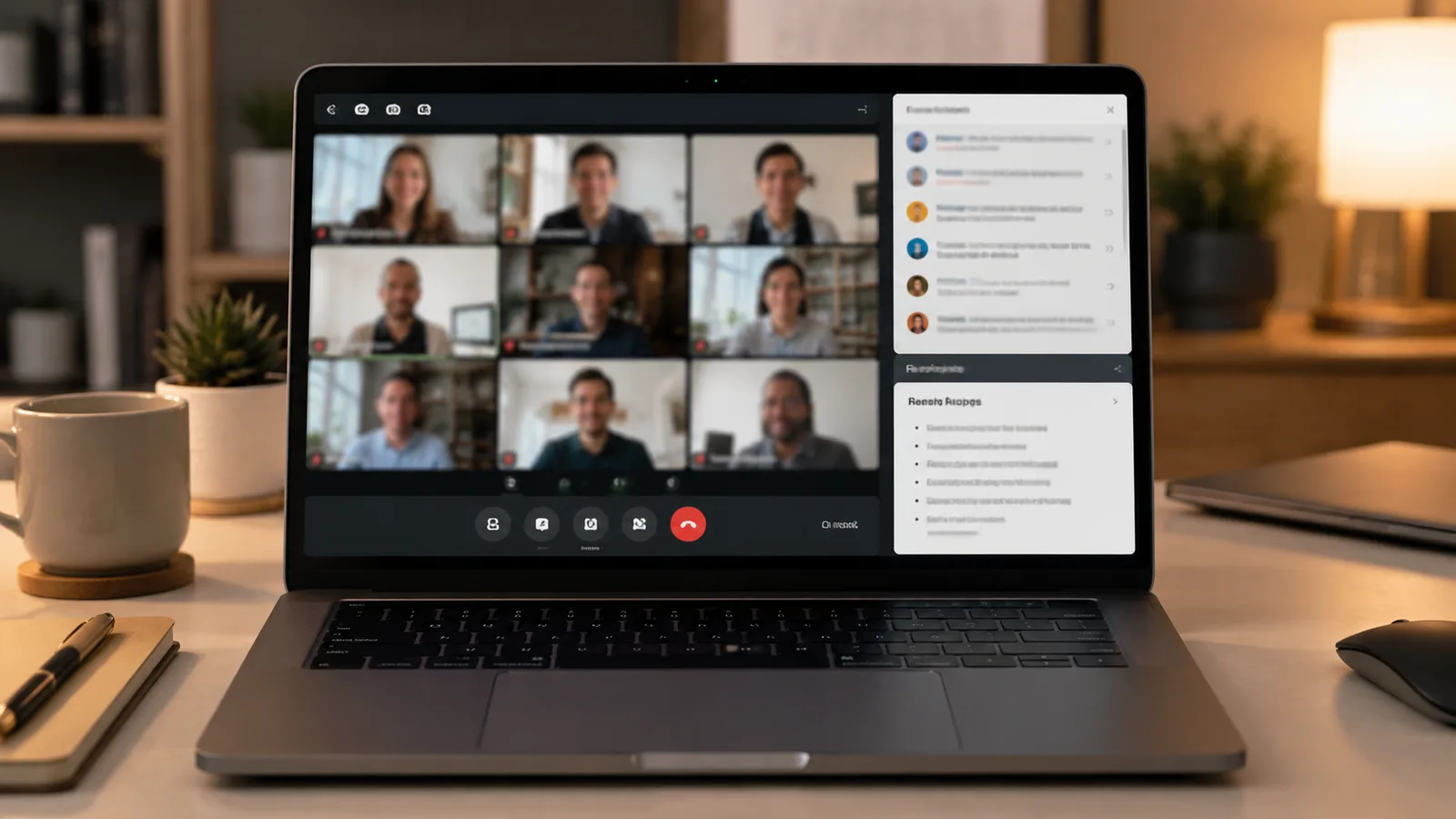
An AI meeting notetaker is a tool that records a meeting, transcribes the audio, and writes a summary with action items, so nobody has to type notes during the call. Most also let you search past meetings, share summaries, and push tasks into other apps.
The one distinction that shapes everything else is how it captures the audio. A bot-based notetaker sends a virtual participant that joins the call, visible to everyone, and records from there. A bot-free notetaker runs on your own machine and captures the device audio directly, so nothing joins the meeting. That single design choice decides whether it can record in-person meetings, how it looks to the other people on the call, and increasingly, whether your workplace lets you use it at all.
The quick verdict: which one for which job
There isn't a single best notetaker, so the honest answer is a shortlist by use case. Match your main kind of meeting to the tool built for it.
| If you want | Reach for |
|---|---|
| No bot in the call, or in-person notes | Granola (bot-free, on-device) |
| The most usable free plan | Fathom (unlimited free recording) |
| Live real-time transcription | Otter |
| Sales notes that sync to your CRM | Fireflies or Avoma |
| Something free you already pay for | Zoom AI Companion or Google Meet notes |
| Strong EU privacy and GDPR | Jamie (bot-free, EU-hosted) |
Granola vs Otter vs Fathom
Granola, Otter, and Fathom are the three tools most people actually compare, and they pull in genuinely different directions. Granola is the bot-free note-first option, Otter is the live-transcription veteran, and Fathom is the one with the free plan worth using.
| Tool | How it captures | Best for |
|---|---|---|
| Granola | Bot-free, records device audio via a desktop app | People who dislike bots, and in-person meetings |
| Otter | A bot (OtterPilot) joins the call, plus a mobile app | Live real-time transcription and captions |
| Fathom | A bot joins, with bot-free capture in Mac beta | The best free unlimited recorder |
Granola runs quietly on your Mac or Windows machine and captures whatever audio plays through it, so no Notetaker bot appears on the participant list and it works just as well for a meeting in a room as one on Zoom. You type sparse notes and it fleshes them out into a full summary. The free plan limits how many past notes you keep, reported at around 25, and paid Business is $14 per user a month. Investors like the model: Granola raised $125 million in March 2026 at a $1.5 billion valuation, per TechCrunch, on the strength of that bot-free approach.
Otter is the one your colleagues probably already know. Its strength is a live, scrolling transcript during the meeting, useful for captions and for following along, plus an AI chat across your whole meeting history. The free plan gives 300 transcription minutes a month with a 30-minute cap per conversation and only three lifetime file imports, and Pro is $8.33 per user a month billed annually. One thing to weigh: a proposed class action reported by NPR in August 2025 alleges Otter records meetings without all-party consent and uses the data to train its AI. More on that below.
Fathom has the free tier the others don't. You get unlimited recordings, transcriptions, and instant AI summaries at no cost, with only the advanced summary templates and AI action items held back for paid plans (Premium is $16 per user a month annually). It ranks among the highest-rated tools in the category on G2, and its 30-second post-call summary is the feature people mention most. If you mostly want a reliable free recorder for your own calls, this is the default pick.
The free tier catch nobody mentions
Every notetaker advertises a free plan, and almost every free plan has a limit the listicles gloss over. The trap is rarely the price. It's the cap you hit two weeks in.
| Tool | What's free | The catch |
|---|---|---|
| Fathom | Unlimited recordings and instant summaries | Advanced summaries and action items are paid |
| Otter | 300 transcription minutes a month | 30-minute cap per meeting, 3 lifetime imports |
| Granola | AI notes and chat | History capped (about 25 notes, and they don't reset) |
| Fireflies | Unlimited transcription and summaries | 400 storage minutes for the whole team, no export |
| tl;dv | Unlimited recording, 30-plus languages | About 10 AI notes, recordings auto-delete after 3 months |
| Fellow | Core notes and summaries | 5 AI notes and 5 recordings per user, lifetime |
| Read AI | 5 meeting transcripts a month | 1-hour meeting cap |
| Avoma | Nothing ongoing | Free is a 14-day trial only |
The pattern worth internalising: "lifetime" caps (Granola, Fellow, tl;dv) sound generous but never refill, so they're really a long trial. Storage caps (Fireflies' 400 team-wide minutes) hit a working team fast. And Avoma has no free plan at all, only a trial. The only true recurring free allowance here is Read AI's five a month, and Fathom's unlimited recording is the genuine outlier.
Bot vs bot-free: the 2026 dividing line
A bot-free notetaker captures meeting audio from your own device, while a bot-based one sends a separate participant to join and record the call. This used to be a footnote. In 2026 it's the first thing to decide.
Bot-free tools (Granola, Jamie, Notion, and Fellow's native capture) put nothing in the meeting, which means no awkward "Someone's Notetaker has joined," the ability to record in-person conversations, and fewer consent optics when you're the only one who wants a transcript. The trade-off is that they capture whatever plays on your device, so they're desktop-tied and don't pull clean separate audio streams for remote speakers the way a bot in the call can. Bot-based tools (Otter, Fireflies, tl;dv, Read AI, Avoma) cover more platforms and handle remote-participant audio and speaker labelling more cleanly, at the cost of that visible guest and the consent questions it raises.

The reason this jumped from preference to priority is partly backlash. Reviewers through 2026 report people are tired of bots turning up uninvited, and partly it's the platforms themselves, which brings us to the legal side.
Is it legal to record a meeting with an AI notetaker?
Whether you can legally record a meeting depends on the consent laws where you and the other participants are, and it is not a settled question for AI notetakers. Some jurisdictions allow recording with one party's consent; others require everyone's. The safe rule is simple: get clear consent before an AI records anyone, and know your local law for anything sensitive.
This matters more than usual right now because of a live case. In August 2025, a proposed class action reported by NPR was filed alleging that Otter records conversations without all-party consent and uses the transcripts to train its AI. Otter has said it takes user privacy seriously, the case was unresolved as of mid-2026, and no court has ruled either way, so this is an allegation to be aware of, not a verdict against the product. It's a useful reminder that "the AI took notes" can carry real legal weight.
The platforms have noticed too. Through 2026, the big three began gating third-party bots: Microsoft Teams started labelling outside notetaker bots as "Unverified" in the lobby, Google Meet flags them as a "potential risk," and Zoom requires the host to start AI Companion with a consent prompt, per UC Today. Some universities and enterprises have blocked standalone recording bots outright. If your notetaker relies on a bot joining the call, that access is getting narrower. None of this is legal advice; for a policy that has to hold up, talk to a professional who knows your jurisdiction.
You might already have one: Zoom, Teams, and Google Meet
Before buying a standalone notetaker, check the video platform you already pay for, because three of the four big ones now include a competent one at no extra charge. This is the quiet story of 2026: bundled native tools are squeezing the standalone market from below.
Zoom AI Companion is included at no additional cost with paid Zoom Workplace plans, and Zoom states it doesn't use your meeting content to train its models. Its 2025 update even extended note-taking beyond Zoom to Meet and Teams. Google Meet's take-notes feature is included in Workspace Business Standard and above (not the free tier or Business Starter), writes notes straight into a Google Doc, and shows a visible pencil icon so every participant knows notes are being taken. Microsoft is the outlier: its Teams recap runs through Microsoft 365 Copilot, a roughly $30 per user a month add-on on top of a base licence, making it the most expensive native option by far. And if your team lives in Notion, its Business plan includes bot-free meeting notes that land directly in your workspace, though speaker labelling is weak.
For a lot of teams, the honest recommendation is to try the free native option first. It's rarely the most feature-rich, but "good enough and already paid for" beats a fourth subscription more often than the standalone vendors would like.
The wider field, in brief
Beyond the big three, a handful of tools are worth knowing for specific jobs. Each is strong at one thing and unremarkable at the rest.
Fireflies is the sales pick, with 100-plus languages and 50-plus native integrations (Salesforce, HubSpot, Slack) that push notes into your stack, plus SOC 2 Type II and GDPR compliance. Avoma goes deeper into revenue intelligence, call scoring, and coaching, though the good parts are paid add-ons and there's no free tier. tl;dv suits multilingual teams and recruiters analysing many calls, with a generous free recording allowance but a stingy AI-summary cap. Read AI leans into analytics like talk-time and engagement scoring rather than pure notes, though its reviews are mixed and it draws complaints about its bot auto-joining. Fellow rebuilt itself around AI notes with a strong security story (botless capture and configurable zero-day retention) and the cheapest paid entry at $7 per user a month. Jamie is the European, GDPR-first, bot-free option with 99-plus languages, hosted in the EU, with SOC 2 still pending. Circleback is the automation specialist, bot-free with strong action-item routing, but it's trial-only with no free plan and the priciest entry point.
Pricing at a glance
Paid prices cluster tightly, but the pages that list them love to quote the annual rate as if it were the monthly one. Here's the cheapest real paid entry for each, with monthly and annual-effective side by side, as of August 2026.
| Tool | Cheapest paid (monthly) | Billed annually |
|---|---|---|
| Fellow | $11/user | $7/user |
| Fireflies | $18/seat | $10/seat |
| Granola | $14/user | $14/user (no annual discount) |
| Read AI | $19.75/user | $15/user |
| Otter | $16.99/user | $8.33/user |
| Fathom | $20 | $16 |
| tl;dv | ~$22/user | ~$18/user |
| Avoma | $29/seat | $19/seat |
Two honest caveats. Granola charges the same either way, so annual billing saves you nothing there. And a couple of vendors (tl;dv's business tier, Avoma's add-ons) have pricing that shifts or stacks, so the entry price is the floor, not the whole bill for a team.
How to choose
Start from your meetings, not the feature list. If you take a lot of in-person or cross-platform meetings, or you just don't want a bot in the room, a bot-free tool like Granola or Jamie is the natural fit. If you mostly record your own remote calls and want to spend nothing, Fathom's free plan or your platform's built-in notetaker will cover it. If notes have to reach a CRM and drive a sales process, Fireflies or Avoma earn their price. And if you already pay for Zoom, Google Workspace, or Microsoft 365, try the included option before adding a subscription.
Whichever you pick, do two things first. Turn on whatever consent and recording notice the tool offers, and check its data-training setting, since several now let you opt out of having your meetings used to train models. Those two toggles matter more than any single feature.
What this guide does not cover
This is an honest, research-based buyer's guide, not a hands-on lab review, and the picks reflect published specs, pricing, independent testing, and owner reviews rather than our own testing of each tool. We link nothing for commission. Prices, free-tier limits, and features in this category change monthly, so confirm the current details on each vendor's page before you commit. We haven't covered every niche tool (Krisp, MeetGeek, Supernormal, Sembly and others exist), nor the deep enterprise-procurement questions around data residency and retention that a regulated business would weigh. And nothing here is legal advice: recording-consent law varies by place, so for anything sensitive, check with a qualified professional. To round out your stack, see the short list of AI tools a remote worker needs, our wider best AI tools guide, and free AI tools for freelancers.
Sources
- Zapier: The best AI meeting assistants in 2026 (independent testing)
- NPR: Class-action suit claims Otter AI secretly records private conversations (Aug 2025)
- TechCrunch: Granola raises $125M at a $1.5B valuation (Mar 2026)
- UC Today: Microsoft, Zoom, and Google tighten controls on AI meeting bots (May 2026)
- Grand View Research: AI Meeting Assistant Market report
Frequently asked questions

Written by
Tapabrata Biswas
Tech Researcher
I test AI productivity tools and research home-automation gear the way most people use them. Not in a lab, but on an ordinary desk with an ordinary internet connection. The only test that matters: does it save you time?
Share the Post with Your Besties
Get the plain-English tech brief
One email a week on AI tools and smart-home tech. No jargon, no hype.


