

Does Claude Remember Conversations? Memory and Lost Chats
Yes, across chats. What Claude memory keeps, what it never saves, how to switch it off, and why your chat history vanished when nothing was deleted.

Researched with AI assistance, reviewed and edited by Tapabrata Biswas.
In this article
- 01Does Claude remember conversations?
- 02Which Claude memory are you looking for?
- 03How does Claude decide what to remember?
- 04Where do you turn it on and manage it?
- 05Pause or reset: two controls that do different things
- 06Why did my Claude chats disappear?
- 07What Claude memory doesn't do
- 08The free and paid split that catches people out
- 09How memory behaves inside Projects
- 10Can you bring your memory from ChatGPT?
- 11What this post does not cover
- 12Sources
On March 2, 2026, Anthropic turned memory on for every Claude account, free plans included, and launched a tool the same day to import your memories out of ChatGPT. The second part tells you what the first part was for.
Before any of the how-to, one piece of housekeeping that most guides skip. Three unrelated Anthropic features are called memory, and searching the term drops you into whichever one Google decides you meant. This guide covers the chat feature: the thing that remembers you between conversations at claude.ai and in the apps. The other two get sorted out below.
Does Claude remember conversations?
Yes, across separate chats, and it has done for every account since March 2026. Claude memory is the feature that lets it retain facts about you between conversations, so it stops starting from zero every time you open a new chat.
The thing to understand is that it remembers you, not your conversations. Those are two different claims, and the difference is why people get surprised in both directions. Anthropic's documentation describes what it focuses on: your role, projects, and professional context, your communication preferences and working style, your technical and coding preferences, and the details of work you have in progress.
The word doing the work there is retain, not record. Claude isn't keeping your conversations. It writes short summarised entries about you, which is why memory can hold "prefers concise answers, works in higher education" without storing the chat where you said it.

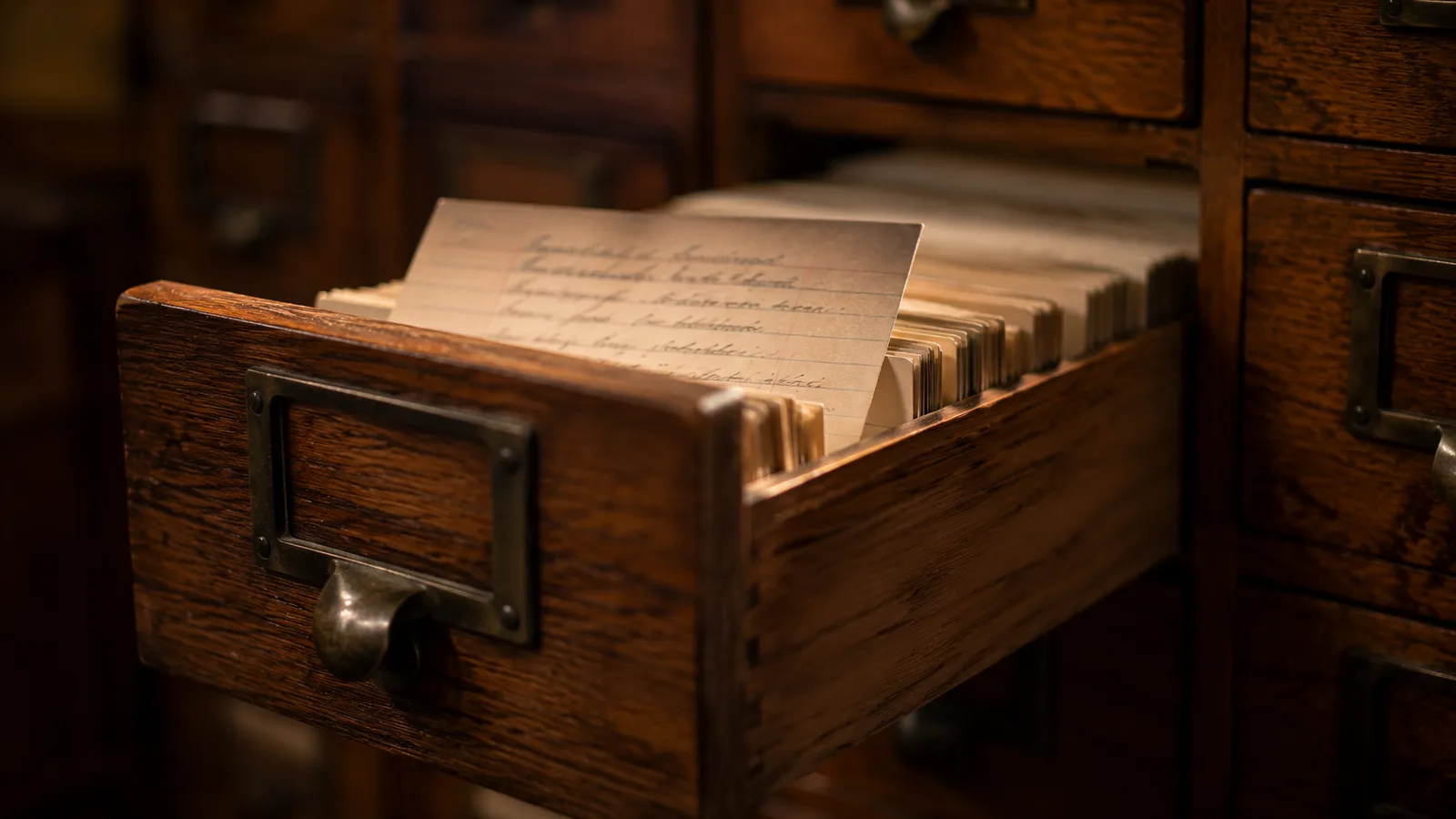
The stack is your conversations. The card on top is what memory actually keeps.
Which Claude memory are you looking for?
Three different Anthropic features share the name, and they have almost nothing to do with each other.
| What it's called | What it does | Where it lives | Who it's for |
|---|---|---|---|
| Memory (the chat feature) | Remembers your role, preferences, and ongoing work across conversations | Settings, then Memory, at claude.ai and in the apps | Anyone using Claude to chat. This is almost certainly the one you mean |
| Claude Code memory | CLAUDE.md files you write, plus auto memory Claude writes itself about a codebase | Files in your project and in ~/.claude/projects/ | Developers using Claude Code in a terminal |
| The memory tool | Lets an app you build give Claude a file store it can read and write between sessions | Storage you run yourself, exposed to the API as /memories | Developers building on the Anthropic API |
What it does
- Memory (the chat feature)
- Remembers your role, preferences, and ongoing work across conversations
- Claude Code memory
- CLAUDE.md files you write, plus auto memory Claude writes itself about a codebase
- The memory tool
- Lets an app you build give Claude a file store it can read and write between sessions
Where it lives
- Memory (the chat feature)
- Settings, then Memory, at claude.ai and in the apps
- Claude Code memory
- Files in your project and in ~/.claude/projects/
- The memory tool
- Storage you run yourself, exposed to the API as /memories
Who it's for
- Memory (the chat feature)
- Anyone using Claude to chat. This is almost certainly the one you mean
- Claude Code memory
- Developers using Claude Code in a terminal
- The memory tool
- Developers building on the Anthropic API
If you type "claude memory" into a search box, the results mix all three freely, which is how people end up reading about markdown files in a repository when they wanted to stop Claude forgetting their job title. Everything below is the first row.
The other two are worth one line each so you can rule them out. Claude Code's memory is a pair of systems for coding work: CLAUDE.md files you write by hand, and an auto memory where Claude saves its own notes about a codebase, kept in a project folder and loaded at the start of each session. The memory tool is an API feature for developers building applications, where Claude asks your app to read and write files in a store you host yourself.
How does Claude decide what to remember?
Claude synthesises memory rather than recording it, reviewing recent conversations roughly every 24 hours and pulling out facts, preferences, and patterns that look worth keeping. Those become short structured entries you can read.
That 24-hour cycle explains something that confuses people: you tell Claude something on Monday, check your memory settings, and find nothing there. Nothing is broken. The synthesis simply hasn't run.
There's a faster path, and it's the one worth using. Say "remember that I work in higher education" or "add to memory that I prefer short answers" in any conversation, and Claude writes the entry immediately rather than waiting for the next cycle. Automatic memory is passive and slow. Telling it directly is instant and precise, and in practice a memory profile you shaped deliberately beats one assembled from whatever you happened to mention.
Where do you turn it on and manage it?
Everything lives in one place: open Settings, then Memory. Two toggles run the feature. "Generate memory from chats" is the one that builds and uses your memory, and "Search and reference chats" lets Claude look back through past conversations. They're independent, which matters more than it sounds and comes up again below.
The same screen shows what Claude has stored, organised by category, and every entry can be edited or deleted individually. Worth doing occasionally: memory built by synthesis picks up the odd wrong inference, and a stale entry about a job you left quietly shapes answers for months.
One exception sits outside all of it. Incognito chats, marked with a ghost icon, are temporary and unsaved, and Claude neither remembers nor searches them. That's the switch for a one-off conversation you don't want influencing anything later.
Pause or reset: two controls that do different things
Pause keeps everything Claude has learned about you but stops it adding anything new. Reset permanently deletes the lot. People reach for the wrong one regularly, because both sound like "turn memory off."
Pause is the reversible, everyday option. If you're doing a stretch of work that isn't representative, researching a topic you'd rather not be permanently associated with, or covering for a colleague in a field you don't normally touch, pausing keeps your existing profile intact while that work stays out of it.
Reset is the nuclear one and there's no undo. Anthropic notes that memory data is included in your data exports and retained under the same policies as your chat history, so if there's anything in there worth keeping, export before you clear.
Why did my Claude chats disappear?
Almost always they did not. A conversation that has vanished from your sidebar has usually moved rather than died, and the causes are specific enough to check in order.
- An invisible branch, which is the one that catches people because it is not obvious. Editing an earlier message forks the conversation from that point, and the original branch stops appearing in the list. It happened most often by accident on iOS, where a stray tap edited an old message. Anthropic has since fixed both halves, so the iOS app now warns you before an edit forks a chat and the desktop app shows a branch indicator, but older conversations forked before that can still be sitting on a branch you cannot see.
- A display glitch rather than a loss. A finished reply sometimes disappears from the active window the moment it completes. The exchange is still saved. Open the conversation again from the history sidebar and it is there.
- A genuine incident. Anthropic's status page has carried at least one confirmed "chats not saved" incident. If several conversations went at once and other people are complaining the same day, check status.anthropic.com before you start clearing caches.
- Something on your own machine, usually an expired session, a cached page, an extension or a VPN interfering with sync. A hard refresh and a fresh login resolve most of these.
The honest exception is deletion. If you deleted a conversation it is gone, immediately and permanently. There is no trash, no undo and no grace period, so the answer to whether you can look at deleted Claude chats is no.
Before you panic, use search. Most chats reported as missing are findable by full-text search in seconds, because they were never lost in the first place.
What Claude memory doesn't do
Four limits are worth knowing, and none of them are flaws exactly, just the shape of the thing.
It's reactive. Memory builds from what you happen to discuss, starting empty and filling in slowly, so a brand-new account has nothing and a heavily used one has a lot. Nothing is prefilled.
It stays inside Claude. Your memory lives on Anthropic's servers and works in Claude alone. Move to ChatGPT, Gemini, or a coding tool and none of it travels with you, which is the reason the import tool exists in the first place.
It isn't shareable. Memory is personal to your account, with no built-in way for a team to build a shared layer, so five colleagues using Claude for the same project each teach it the same context separately.
And it's shallow by design. Memory holds a summary of who you are and what you prefer, not the reasoning behind decisions you made or the artifacts you produced. It knows you like short answers. It doesn't know why you rejected the second option in a plan three weeks ago. For work you want to persist properly, Claude Projects holds documents in a knowledge base, and Claude Artifacts keeps the things you actually built.
What it never saves, and where it does not apply
Two things worth knowing before you decide whether to leave memory on.
Anthropic lists categories it will not write into memory at all, specifically government identity numbers, criminal history, financial account numbers and immigration status. There is also a separate toggle for sensitive topics covering health, politics and identity, which is off unless you switch it on.
And memory simply does not operate in some places. Incognito chats are excluded from both history and memory. Any individual chat can opt out if you disable memory before sending the first message. Organisations on HIPAA or custom retention agreements do not get it, and encrypted Enterprise plans have no chat search at all.
The free and paid split that catches people out
Memory generation is free and chat search is not, which is a genuinely odd combination once you notice it. Anthropic's documentation lists memory across free, Pro, and Max plans on web, desktop, and mobile, with Enterprise and Team on their own rollout schedules. Cowork doesn't have it at all.
Searching and referencing your past chats, though, is a paid feature. So a free user gets a Claude that quietly learns their preferences and applies them, but can't ask it to find that conversation from last Tuesday. The synthesis works; the retrieval doesn't.
That distinction is easy to miss because both toggles sit in the same settings panel, one above the other, with nothing marking one as paid. If you're on a free plan and the second toggle seems to do nothing, that's why.
How memory behaves inside Projects
Each project keeps its own memory space and its own project summary, separate from your other projects and from your ordinary chats. Your global memory profile doesn't reach inside a project, and what Claude learns in a project stays there.
The separation is deliberate rather than a limitation, and it's the right call: work context and personal context genuinely shouldn't bleed into each other. The catch is that it surprises people. Something Claude knows about you in a normal chat won't be there when you open a project, and you'll teach it twice. Our guide to Claude Projects covers how that isolation works alongside the knowledge base.
Can you bring your memory from ChatGPT?
Yes, and the mechanism is more low-tech than you'd guess. Anthropic launched an import tool at claude.com/import-memory on March 2, 2026, the same day memory went free, covering ChatGPT, Gemini, and other assistants.
It doesn't connect to the other service. Anthropic hands you a prepared prompt that you paste into ChatGPT or Gemini, asking that assistant to write out everything it has stored about you in a format Claude can read, and you bring the result across. No API, no account linking, just one chatbot dictating its notes to another.
Two things follow from that. It's a migration and not a sync, so anything you teach ChatGPT next month stays in ChatGPT. And the quality of what arrives depends entirely on how well the other assistant summarises itself, which is worth checking rather than trusting. If you're weighing the two assistants more broadly, our ChatGPT vs Claude comparison covers the wider picture, and ChatGPT's nearest equivalent to a standing memory profile is covered in ChatGPT custom instructions.
Releasing a defection tool on the same day you make memory free is not subtle, and it's aimed squarely at the thing that keeps people on an assistant they've outgrown: the months of context they'd have to rebuild.
What this post does not cover
This is a guide to the consumer memory feature in Claude, not a manual for Claude Code's CLAUDE.md system or the developer memory tool, both of which work differently and are aimed at other jobs. It isn't privacy or compliance advice, so check your own organisation's policy before letting an assistant retain work context. Plans, toggles, and which tiers get which piece change often, and Anthropic's own help pages are the place to confirm current details before relying on them.
Sources
- Claude Help Center: use Claude's chat search and memory to build on previous context
- Claude Code docs: how Claude remembers your project
- Anthropic API docs: the memory tool
- MacRumors: Anthropic adds free memory feature and import tool
- Fast Company: Claude can now take your memories from ChatGPT, Gemini, and Copilot
Frequently asked questions

Written by
Tapabrata Biswas
Tech Researcher
I test AI productivity tools and research home-automation gear the way most people use them. Not in a lab, but on an ordinary desk with an ordinary internet connection. The only test that matters: does it save you time?
Share the Post with Your Besties
Get the plain-English tech brief
One email a week on AI tools and smart-home tech. No jargon, no hype.


