Gamma AI Review (2026): I Tested the Free Plan, Here's the Honest Verdict
A hands-on Gamma AI review: I tested the free plan in 2026, what it does well, where it falls short, the real pricing, and who should skip it.

Researched with AI assistance, reviewed and edited by Tapabrata Biswas.

In this article
Gamma is the AI tool people reach for when they need a presentation and do not have the time or the design skill to build one from scratch. It turns a prompt into a finished-looking deck in a couple of minutes. The question this review answers, after actually using it, is a simple one: is it any good, and is it worth paying for?
Short version: yes, with caveats. I generated a full 10-slide deck from a single prompt in about two minutes, and it was genuinely easier and faster than doing the same job in PowerPoint or Google Slides. The catches are real too, and they are mostly about the free plan and the export format, so this review spends most of its time there.
A note on how this was tested: this is based on hands-on use of Gamma's free plan in July 2026, along with its current published pricing and the pattern of independent user feedback. I tried the tool myself, and there is no commission on anything here.
What is Gamma, and is it worth it?
Gamma is an AI tool that generates presentations, documents, and web pages from a text prompt, building them as scrollable "cards" you can then edit and share. It is not a traditional slide editor; it is a generator that hands you a designed draft to refine.
Is it worth it? For the right person, clearly yes. If you are short on time, not confident with design, or you produce client decks regularly, Gamma gives you a strong starting point in minutes and lets you edit from there rather than staring at a blank slide. It is not the right tool if you need brand-strict, fully editable PowerPoint files, for reasons the export section covers. On the free plan it was easily good enough to justify the $9 Plus tier for anyone making decks often.
Testing Gamma: how it actually works
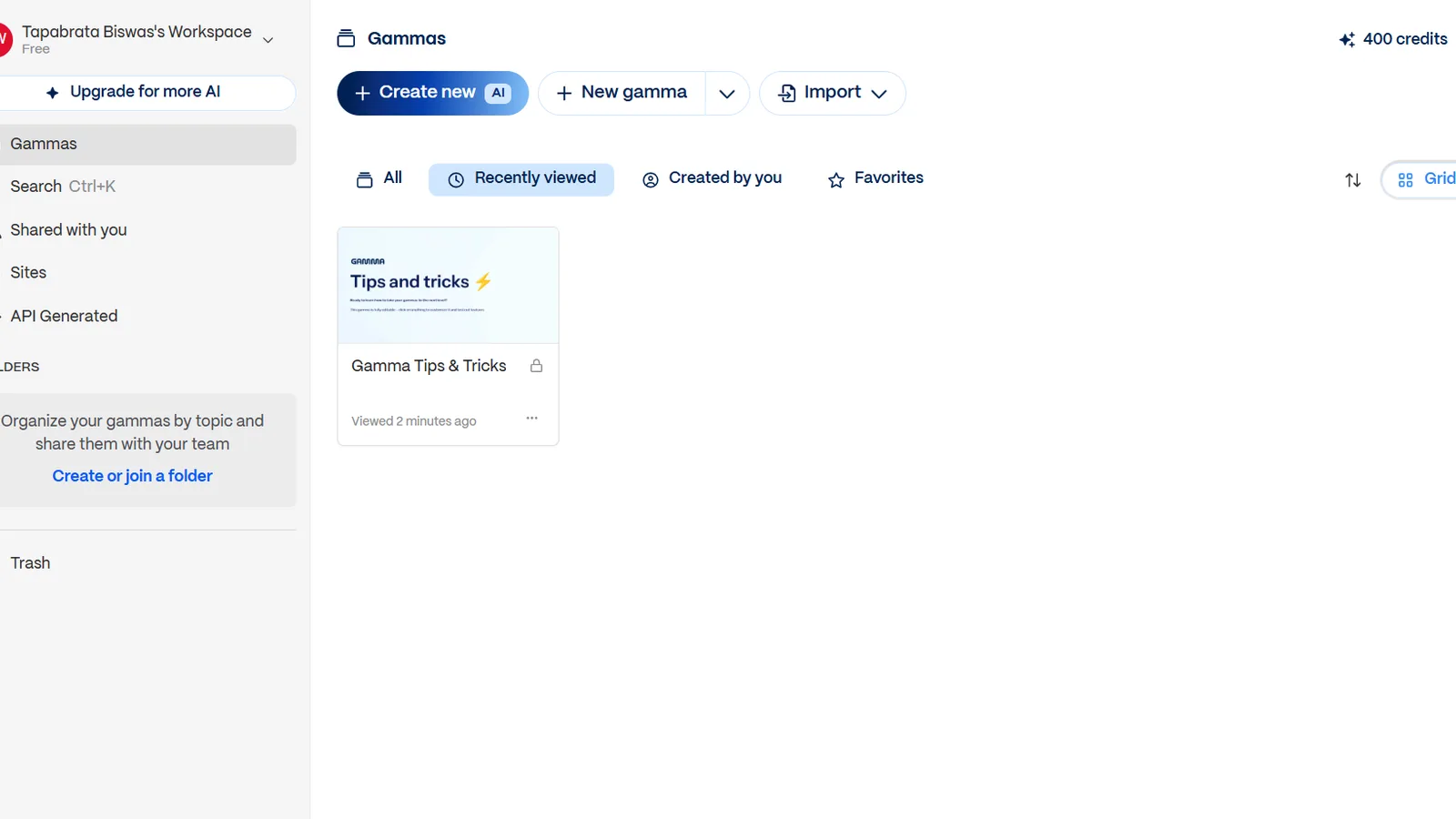
Getting started took seconds: sign in with Google, no card required, and the free account arrives with 400 AI credits. Creating a deck is three clicks: pick "Generate," choose "Presentation," and type a prompt. I asked for a 10-slide pitch deck for a neighborhood coffee shop, left the defaults alone, and let it run.
About two minutes later I had a complete, designed 10-slide deck, and it cost 40 credits. The text was well structured and genuinely usable, and the AI-generated images were good. The one honest gripe: the default design was a little flat and could have been more colourful. That turned out to be an easy fix. Switching the theme, which restyles the entire deck in one click, made it noticeably more colourful, and editing individual cards was quick. This is where Gamma earns its reputation: the editing felt easier and faster than PowerPoint or Google Slides, which is the whole point for its target user.
What Gamma does well
The core promise holds up. A few things stood out in use, and they are the reasons to pick it.
Speed is the headline: a usable draft in two minutes, from one sentence, is a real time saver. The AI content is strong, breaking a topic into logical sections rather than dumping text on a slide. Themes do a lot of heavy lifting, so the "make it look better" step is a click, not an afternoon. And the sharing is genuinely nice: a Gamma deck shared as a web link keeps subtle animations and transitions, and, importantly, the shared link carries no watermark. Gamma has also kept shipping, adding AI animations and a separate AI image product in early 2026, so it is not standing still.
Where Gamma falls short
None of these are dealbreakers for the right user, but they are the things a review owes you before you commit money.
The free plan is really a trial. The 400 credits do not refill, and at 40 credits a deck (small AI edits cost credits too), that is roughly 10 decks before you are pushed to pay. Calling it "free" is generous. Exports carry a badge: the PDF and PowerPoint files I exported both had a "Made with Gamma" mark, with a pop-up offering to remove it on a paid plan, and only the shared web link was clean. The format is the biggest catch. In my test the exported PDF and the PowerPoint file kept the look, but Gamma builds decks as cards, and exporting to PowerPoint flattens them into what are essentially static image slides, so the design survives while easy slide-by-slide editing does not. That matches the most common complaint in other reviews. Exporting the same deck to Google Slides failed outright with a 100 MB size error. Customization is also limited: heavy brand control is not Gamma's strength, and decks can drift toward a recognisable "Gamma look." One more thing worth flagging honestly, even though I did not hit it in a short free-plan test: Gamma's independent user reviews skew negative on support and billing (a 1.9 out of 5 Trustpilot rating, with reports of hard-to-get refunds and features changing mid-subscription), so go in with eyes open before you commit to an annual plan.
Is Gamma free, really?
Gamma is free to start, but "free" means a one-time allowance, not an ongoing free tier. This is the single most misunderstood thing about the tool, so it is worth being precise.
You get 400 credits at signup and they never renew. At 40 credits per generated deck, plus around 10 credits for small AI edits, most people will burn through it inside a couple of weeks of real use. There is no monthly free refill, so once it is gone, you either stop or subscribe. It is best thought of as a generous trial that lets you decide whether the paid plan is worth it, which, to be fair, is exactly what it is for. If you only need one or two decks ever, the free plan may be all you use.
Gamma pricing: Free, Plus, Pro, and Ultra
Once the free credits run out, here is what you actually pay, with USD pricing as of July 2026. Annual billing knocks off roughly 20%.
| Plan | Price (USD) | AI credits | Removes the badge? | Best for |
|---|---|---|---|---|
| Free | $0 | 400 at signup, no refill (about 10 decks) | No | Trying it out or the occasional one-off deck |
| Plus | $9/mo (about 20% off annual) | Roughly 1,000 a month on annual billing | Yes | Regular users who want the badge gone |
| Pro | $18/mo | Unlimited generation | Yes | Heavy users iterating lots of decks |
| Ultra | $90/mo | Unlimited, plus advanced and agent features | Yes | Power users and teams |
Price (USD)
- Free
- $0
- Plus
- $9/mo (about 20% off annual)
- Pro
- $18/mo
- Ultra
- $90/mo
AI credits
- Free
- 400 at signup, no refill (about 10 decks)
- Plus
- Roughly 1,000 a month on annual billing
- Pro
- Unlimited generation
- Ultra
- Unlimited, plus advanced and agent features
Removes the badge?
- Free
- No
- Plus
- Yes
- Pro
- Yes
- Ultra
- Yes
Best for
- Free
- Trying it out or the occasional one-off deck
- Plus
- Regular users who want the badge gone
- Pro
- Heavy users iterating lots of decks
- Ultra
- Power users and teams
For most individuals, Plus at $9 a month is the sensible tier: it removes the badge and refills credits monthly, which covers regular deck-making. Pro at $18 is for people generating constantly, since its draw is unlimited generation rather than a credit budget. Ultra at $90 is a power-user and team tier. If you are weighing Gamma against the other tools you already pay for, our roundup of the best AI tools puts it in context, and it also features in the freelancer's AI toolkit for exactly this pitch-deck job.
Who should use Gamma, and who should skip it
The honest way to judge Gamma is by what you do with the output, not by the feature list. It suits some workflows beautifully and fights others. To see how it stacks up against the alternatives, our best free AI presentation makers roundup sorts them by what is genuinely free.
Use Gamma if you are a solo professional, freelancer, marketer, content creator, or small-business owner who needs decent decks fast and shares them as a link or PDF. It is a strong fit for a small business making pitches, proposals, and internal updates without a designer. Skip it, or at least test the export first, if you work in enterprise sales, finance, or consulting where a polished, fully editable PowerPoint file is the required deliverable, or if you need strict brand compliance. In those settings the card-to-PowerPoint flattening will cost you the time it saved.
The verdict
Gamma does exactly what it claims: it removes the blank-slide problem and hands you a good-looking draft in minutes, and in testing it was faster and easier than the traditional tools for that first draft. The weaknesses are honest and manageable: the free plan is a trial, free exports are badged, and the card format is built for web sharing rather than editable PowerPoint. Judge it on how you share, not on the demo.
Would I pay for it? Yes, the $9 Plus plan, for anyone making decks regularly. That is the real test of a tool: after using it, would you spend your own money on it, and here the answer is a comfortable yes for the intended user. Just start on the free credits, make a couple of real decks, and confirm the export format fits how you actually deliver before you subscribe.
What this review does not cover
This is a hands-on review of Gamma's presentation feature on the free plan, not a full test of its document and web-page modes, its team and enterprise tiers, or a head-to-head against every alternative. For where Gamma sits among other tools, see the roundup linked above. Pricing, credits, and features change quickly in this space, and the support and billing notes come from independent user reviews rather than my own billing experience, so treat every figure as accurate to July 2026 and check the official page before you pay.
Sources
- Gamma pricing breakdown (2026) and Gamma reviews deep dive (pricing tiers, credit system, user sentiment)
- 24slides, Gamma app review (2026) (features and free-plan limits)
- G2, Gamma AI pros and cons (independent user feedback on export and support)
Frequently asked questions

Written by
Tapabrata Biswas
Tech Researcher
I test AI productivity tools and research home-automation gear the way most people use them. Not in a lab, but on an ordinary desk with an ordinary internet connection. The only test that matters: does it save you time?
Share the Post with Your Besties
Get the plain-English tech brief
One email a week on AI tools and smart-home tech. No jargon, no hype.