Alexa for Business Is Gone: What Actually Works for a Small Office in 2026
Alexa for Business was discontinued in 2023. What replaced it, why Alexa+ isn't a business tool, and what a small office should use for voice in 2026.

Researched with AI assistance, reviewed and edited by Tapabrata Biswas.
In this article
- 01Is Alexa for Business still available in 2026?
- 02What was Alexa for Business, and why did Amazon kill it?
- 03What replaced Alexa for Business?
- 04Is Alexa+ a business tool? Not really
- 05So what actually works for a small office in 2026?
- 06Meeting rooms: use the platform's own voice
- 07Desks and reception: a consumer device is enough
- 08Where voice genuinely helps, and where it's theater
- 09The privacy line you shouldn't cross
- 10What this post does not cover
- 11Sources
Amazon quietly ended Alexa for Business on May 31, 2023, yet in 2026 most of the top search results still walk you through signing up for it, complete with 2018 pricing. That gap is the whole problem. If you're researching Alexa for Business today, you're reading about a product that no longer exists, so this covers what happened, why Alexa+ isn't the replacement people assume it is, and what a real small office should actually use for voice now.
This is about Alexa for Business, the AWS workplace service that let an IT admin manage shared Alexa devices, not about the consumer Echo on your kitchen counter. Prices and product details here reflect August 2026, drawn from Amazon and AWS documentation, and they change often, so confirm current numbers before you buy anything.
Is Alexa for Business still available in 2026?
Alexa for Business is discontinued, and it has been since 2023. AWS set the end of support for May 31, 2023, which is the date Amazon and its partners told customers to migrate off the service or stop using it. Zoom, for example, warned Zoom Rooms customers to switch to native voice commands ahead of that deadline and to delete their old Alexa for Business devices in the AWS console so they'd stop being billed.
If you still have anything running on it, that's the one action item: pull those devices out of the AWS console. Otherwise you can keep paying for a dead service.
The confusing part is the search results. Review sites still list its old pricing, glossary pages still define it in the present tense, and cheat sheets still explain how to set it up. Only a handful of pages, like the review aggregator that tags it "discontinued," tell you the truth. The product is gone; most of the internet just hasn't caught up.
What was Alexa for Business, and why did Amazon kill it?
Alexa for Business was a paid AWS service, launched in 2017, that let companies deploy and manage Alexa devices across an office. An IT admin could provision shared devices in conference rooms, enroll employees, push approved skills, and control it all from a central console. The pricing was $7 a month per shared device and $3 a month per enrolled user, on top of the hardware.
It never caught on. Voice in the workplace turned out to be a narrow use case: booking a meeting room by talking to a speaker sounds convenient until you realize typing is faster and doesn't broadcast your calendar to the room. Privacy concerns didn't help, and Amazon's own focus shifted hard toward the consumer assistant and, eventually, the generative-AI rebuild that became Alexa+. A managed enterprise voice fleet just wasn't where the company saw a future.
So Amazon retired it and pointed everyone back to consumer Alexa. Which brings up the question everyone asks next.
What replaced Alexa for Business?
Nothing replaced Alexa for Business directly, and that's the honest answer most pages dodge. Amazon didn't ship a business successor with a new name. There's no 2026 service where you log into a console and manage a fleet of office Alexa devices. That capability just went away.
What Amazon offers instead is consumer Alexa, now upgraded to Alexa+. That matters because a lot of readers assume Alexa+ is the business replacement. It isn't.
Is Alexa+ a business tool? Not really
Alexa+ is Amazon's generative-AI consumer assistant, and it became free for all US Prime members on February 4, 2026 (or $19.99 a month on its own). It's a genuine leap over the old Alexa: it holds a conversation, summarizes topics, books reservations, coordinates family calendars, and can flag when a connected device does something unusual, like a door sensor tripping at an odd hour.
None of that makes it a business fleet tool. There's no admin console, no per-employee enrollment, and no central device management. It's built for a household, and for a solo worker or a one-to-three-person office, a household-grade assistant is often all you need anyway. The mistake is expecting it to do what Alexa for Business did for a company. It was never designed to.
So what actually works for a small office in 2026?
The best approach is to stop looking for one product and match the tool to the job instead. Alexa for Business tried to be the single answer for office voice, and part of why it failed is that different office tasks want different tools. A meeting room, a personal desk, and a reception counter each have a better fit in 2026.
These picks come from each platform's official documentation and current list prices, not our own lab testing, so verify pricing before you buy.
| The job | What works in 2026 | Why | Rough cost |
|---|---|---|---|
| Meeting rooms | Your video platform's own voice (Zoom Rooms, Microsoft Teams Rooms) | It's built into the software you already pay for, so there's no separate voice fleet to manage | Included with your Zoom or Teams plan |
| A single desk or solo office | A consumer Echo with Alexa routines, or Alexa+ | Timers, reminders, and hands-free light and plug control are enough for one person | Echo Dot around $49.99; Alexa+ free with Prime |
| Front desk or reception | A smart display (Echo Show or Google Nest Hub) | A screen plus voice handles check-in prompts and an intercom, not a managed device fleet | Echo Show 5 around $89.99; Nest Hub around $99.99 |
| Controlling office lights, plugs, and locks | A consumer smart-home platform (Alexa, Google Home, or Apple Home) | You run the office like a smart home from a phone app, not an AWS console | $0 with a phone up to about $150 for a hub or display |
| Dictation, notes, and quick answers at your desk | Microsoft Copilot Voice or Google Gemini | For real drafting and summarizing, a work assistant beats a speaker | Bundled with Microsoft 365 or Google plans; free tiers exist |
What works in 2026
- Meeting rooms
- Your video platform's own voice (Zoom Rooms, Microsoft Teams Rooms)
- A single desk or solo office
- A consumer Echo with Alexa routines, or Alexa+
- Front desk or reception
- A smart display (Echo Show or Google Nest Hub)
- Controlling office lights, plugs, and locks
- A consumer smart-home platform (Alexa, Google Home, or Apple Home)
- Dictation, notes, and quick answers at your desk
- Microsoft Copilot Voice or Google Gemini
Why
- Meeting rooms
- It's built into the software you already pay for, so there's no separate voice fleet to manage
- A single desk or solo office
- Timers, reminders, and hands-free light and plug control are enough for one person
- Front desk or reception
- A screen plus voice handles check-in prompts and an intercom, not a managed device fleet
- Controlling office lights, plugs, and locks
- You run the office like a smart home from a phone app, not an AWS console
- Dictation, notes, and quick answers at your desk
- For real drafting and summarizing, a work assistant beats a speaker
Rough cost
- Meeting rooms
- Included with your Zoom or Teams plan
- A single desk or solo office
- Echo Dot around $49.99; Alexa+ free with Prime
- Front desk or reception
- Echo Show 5 around $89.99; Nest Hub around $99.99
- Controlling office lights, plugs, and locks
- $0 with a phone up to about $150 for a hub or display
- Dictation, notes, and quick answers at your desk
- Bundled with Microsoft 365 or Google plans; free tiers exist
The pattern is clear once you lay it out. Use what you already pay for where you can, add a cheap consumer device where voice genuinely helps, and reach for a real work assistant when the task is actual work rather than a quick command.
Meeting rooms: use the platform's own voice
For a conference room, the right voice tool is the one already inside your video software. Both Zoom Rooms and Microsoft Teams Rooms have native voice commands to start and end meetings, so you don't need a separate assistant sitting in the corner listening. This is exactly what Zoom told its customers to switch to when Alexa for Business shut down.

The advantage is that there's nothing extra to buy or administer. The voice layer ships with the room system you're already licensing, and it's scoped to the one thing people actually want hands-free in a meeting: starting the call without fumbling for a remote.
Desks and reception: a consumer device is enough
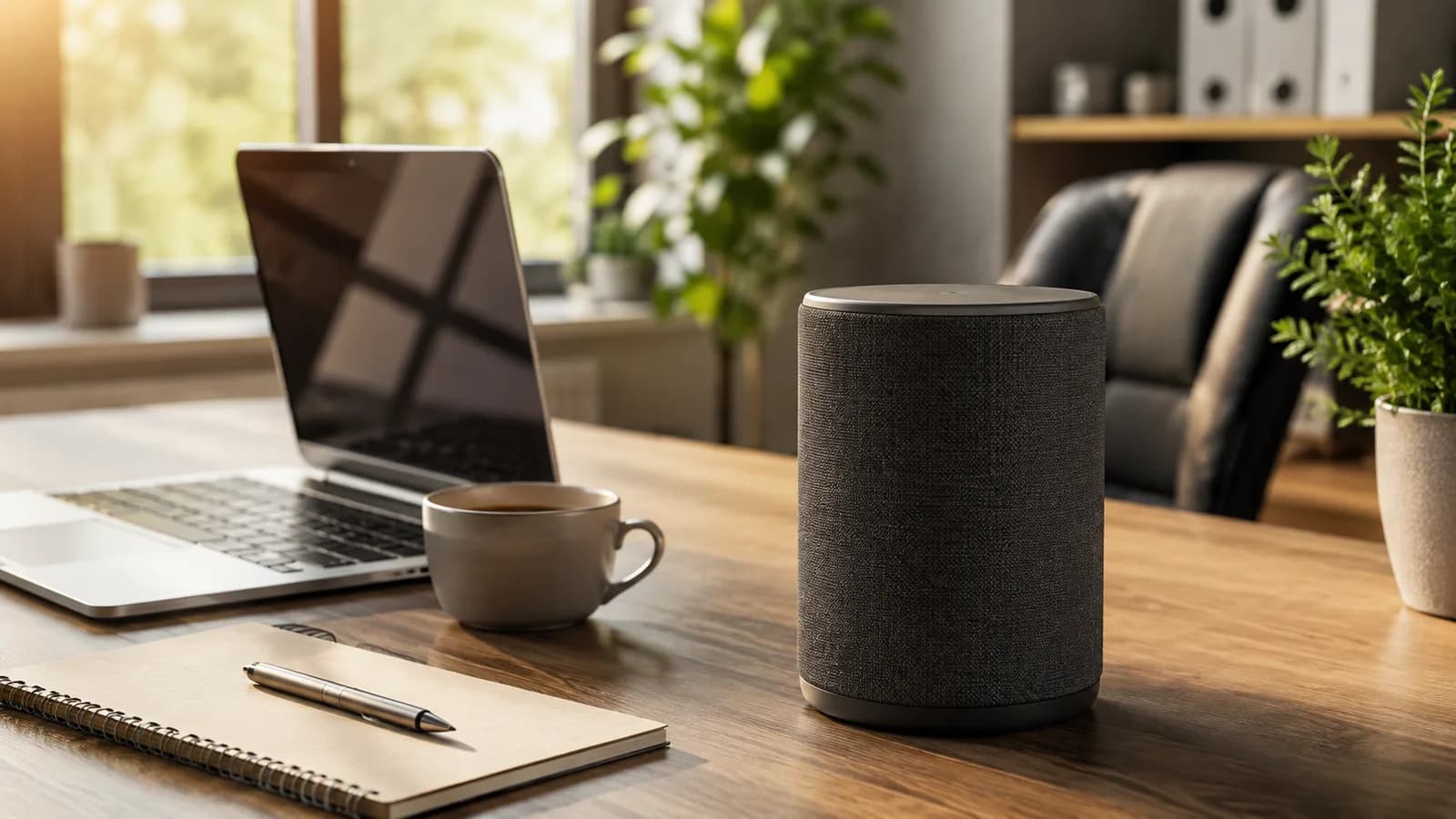
For a single desk, a plain consumer Echo does the job that mattered most in the old service. Timers, reminders, a quick calendar check, music, and controlling a smart plug or desk lamp through an Alexa routine cover the realistic day-to-day. An Echo Dot lists around $49.99, and if you want the smarter assistant, Alexa+ is free with Prime.
A front desk is the one spot where a screen earns its place. A smart display like an Echo Show or a Google Nest Hub can show a check-in prompt, run a simple intercom, or display a visitor message, which a speaker alone can't. If you're kitting out more than a desk or two, our budget-tiered smart office build walks through what to buy at each price level, and our roundup of smart devices worth buying for a small business covers the non-voice hardware too.
Where voice genuinely helps, and where it's theater
Voice is worth having for a short list of things and oversold for the rest. It's genuinely useful when your hands are busy or the command is tiny: set a 20-minute timer, turn off the lights, add milk to a list, start the meeting. For those, talking really is faster than reaching for a phone.
It's theater for most of the rest. Dictating an email to a speaker, "managing" your schedule by voice, or running your business through spoken commands sounds futuristic and works poorly. The words get mangled, there's no screen to check, and you end up correcting more than you saved. For that kind of work, a text-based AI assistant on your computer is the better tool, and it overlaps with where AI actually saves a small business time far more than a smart speaker does. If you're deciding which voice ecosystem to standardize on, our guide to which voice ecosystem fits your office compares Alexa, Google, and Apple directly.
The privacy line you shouldn't cross
Keep confidential business data away from any consumer voice assistant. Consumer Alexa sends your requests to Amazon's cloud to process them, and in March 2025 Amazon removed the option to keep processing on the device for Echo, per The Register. That's fine for timers and lights. It's not fine for client names, account numbers, passwords, or anything you'd be uncomfortable seeing leave your office.
The practical rule is simple. Use voice for commands and convenience, never for content you need to keep private. If a task involves sensitive information, type it into a tool you control, and check that tool's data settings first.
What this post does not cover
This is a guide to what happened to Alexa for Business and what a small office can use for voice now, not a full smart-office build guide or a hands-on review of every speaker. It also doesn't cover enterprise-scale deployments with hundreds of rooms, where managed conferencing hardware and IT policy matter more than any consumer assistant. For the broader set of AI tools a small business might adopt beyond voice, see our overview of the best AI tools in 2026.
Amazon's product names, prices, and which features live behind Prime all change quickly, so treat the specifics here as current to August 2026 and confirm anything that matters on Amazon's own pages before you spend money.
Sources
- Advance notice of end of support for Alexa for Business integration with Zoom Rooms, Zoom Support (the May 31, 2023 end-of-support date and migration guidance)
- How to get Alexa+ free with Prime membership, About Amazon (Alexa+ availability and what it does)
- Amazon makes Alexa+ available to everyone in the U.S., CNBC, 4 February 2026 (US rollout and $19.99 standalone price)
- Amazon kills off on-device Alexa processing for Echo owners, The Register, 17 March 2025 (cloud-only processing for Echo)
Frequently asked questions

Written by
Tapabrata Biswas
Tech Researcher
I test AI productivity tools and research home-automation gear the way most people use them. Not in a lab, but on an ordinary desk with an ordinary internet connection. The only test that matters: does it save you time?
Share the Post with Your Besties
Get the plain-English tech brief
One email a week on AI tools and smart-home tech. No jargon, no hype.