Home Office Energy Monitor: How to Measure What Your Desk Costs (2026)
How to measure your home office's electricity: the best energy monitors and smart plugs for 2026, plus how to turn watts and kWh into a real cost.

Researched with AI assistance, reviewed and edited by Tapabrata Biswas.
In this article
A home office is easy to underestimate. A desktop, two monitors, a docking station, a printer that never quite sleeps, and a space heater in winter can quietly pull more power than the rest of the room combined, and none of it shows up as anything but a slightly higher bill at the end of the month. A home office energy monitor is how you turn that vague number into a list of exactly what is costing you what. This guide covers the three kinds worth knowing, the ones actually worth buying in 2026, how to measure your own desk, and how to turn the reading into a real figure.
These picks come from manufacturer specs and independent coverage, not our own lab testing, and prices reflect September 2026 and move around, so treat them as a starting point rather than a promise.
What a home office energy monitor is
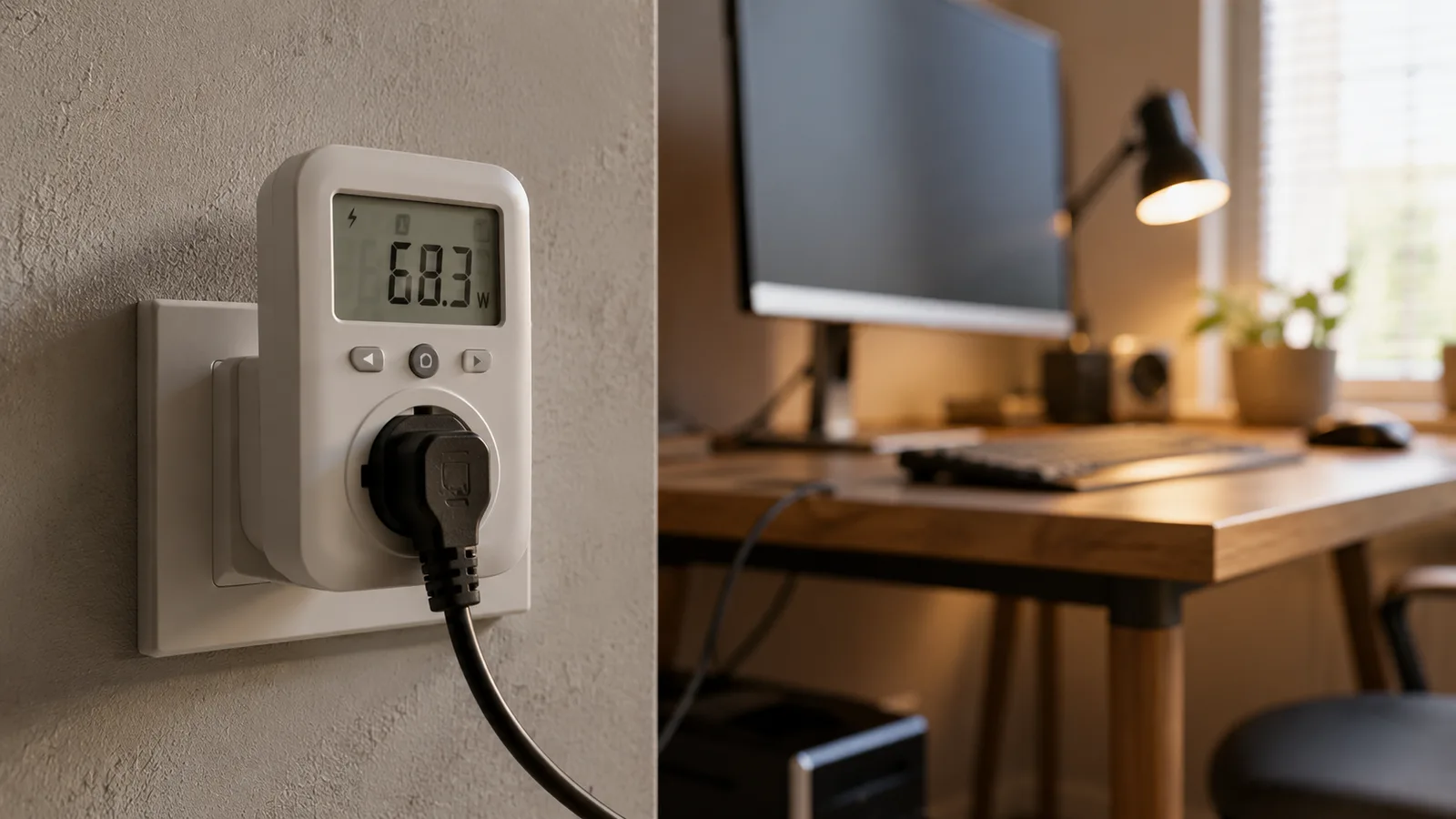
A home office energy monitor is a device that measures the electricity your work gear actually uses, in watts right now and in kilowatt-hours over time. Some sit between one device and the wall, some meter a whole desk, and some read your entire home from the electrical panel. They all answer the same question: where is the power going, and what is it costing. The point is not automation or scheduling, it is visibility, because you cannot cut, size for, or claim back a cost you have never actually seen. It is one piece of a smart home office setup, the piece that tells you what the rest of it costs.
Which type do you need?
For most home offices, an energy-monitoring smart plug is the right tool, and a plain plug-in meter is the cheapest way in. You only need a whole-home monitor if you want the picture for the entire house, or your office runs off hard-wired circuits rather than plugs. Here is how the options compare.
| Type | How it measures | Best for | Rough price |
|---|---|---|---|
| Plug-in meter | Sits between one device and the outlet and shows watts and running kWh on a small screen, no app or account | A quick one-device check, then done | $20 to $30 |
| Energy-monitoring smart plug | Same idea with an app that logs watts and kWh over time and lets you see trends and export history | Most home offices, tracking a few devices over weeks | $13 to $40 each |
| Smart power strip with metering | Meters a whole desk cluster on one point, sometimes per outlet | A busy desk with many devices in one spot | $30 to $80 |
| Whole-home monitor | Clamps onto your electrical panel (an electrician fits it) and tracks the entire home by circuit | The big picture, or a hard-wired office | $100 to $200 plus fitting |
How it measures
- Plug-in meter
- Sits between one device and the outlet and shows watts and running kWh on a small screen, no app or account
- Energy-monitoring smart plug
- Same idea with an app that logs watts and kWh over time and lets you see trends and export history
- Smart power strip with metering
- Meters a whole desk cluster on one point, sometimes per outlet
- Whole-home monitor
- Clamps onto your electrical panel (an electrician fits it) and tracks the entire home by circuit
Best for
- Plug-in meter
- A quick one-device check, then done
- Energy-monitoring smart plug
- Most home offices, tracking a few devices over weeks
- Smart power strip with metering
- A busy desk with many devices in one spot
- Whole-home monitor
- The big picture, or a hard-wired office
Rough price
- Plug-in meter
- $20 to $30
- Energy-monitoring smart plug
- $13 to $40 each
- Smart power strip with metering
- $30 to $80
- Whole-home monitor
- $100 to $200 plus fitting
The honest shortcut is this. If you want to track a handful of devices over weeks and watch the trend, buy one or two energy-monitoring smart plugs. If you just want to answer "what does this one thing draw" once and be done, a plug-in meter costs about $25 and needs no app or account. Save the panel-mounted whole-home monitor for when you care about the entire house, not a single desk.
The best home office energy monitors in 2026
These are the devices that come up again and again across independent roundups, grouped by the job they suit. Every one measures live watts and cumulative kWh; the real differences are accuracy, how the data comes back out, and which ecosystem they sit in.
| Device | Type | Best for | Price | The catch |
|---|---|---|---|---|
| Kasa KP125M | Smart plug | The all-round pick, Matter over wifi | About $15 | One outlet each, so you buy a few |
| TP-Link Tapo P110 / P115 | Smart plug | Lowest price per plug, estimates the bill in-app | About $13, or $22 to $28 a 2-pack | Leans on a cloud account, less private |
| Eve Energy | Smart plug | Apple Home users who want local, private data | About $40 | Pricey, best inside Apple Home |
| Shelly Plug S | Smart plug | Tinkerers who want local logs and export | About $20 | Setup is fiddlier than the rest |
| P3 Kill A Watt P4400 | Plug-in meter | A no-app, no-account one-off check | About $25 to $30 | No history, you read it by hand |
| Emporia Vue 3 | Whole-home | Seeing the entire home by circuit | About $100 to $200 | Panel install, overkill for one desk |
Type
- Kasa KP125M
- Smart plug
- TP-Link Tapo P110 / P115
- Smart plug
- Eve Energy
- Smart plug
- Shelly Plug S
- Smart plug
- P3 Kill A Watt P4400
- Plug-in meter
- Emporia Vue 3
- Whole-home
Best for
- Kasa KP125M
- The all-round pick, Matter over wifi
- TP-Link Tapo P110 / P115
- Lowest price per plug, estimates the bill in-app
- Eve Energy
- Apple Home users who want local, private data
- Shelly Plug S
- Tinkerers who want local logs and export
- P3 Kill A Watt P4400
- A no-app, no-account one-off check
- Emporia Vue 3
- Seeing the entire home by circuit
Price
- Kasa KP125M
- About $15
- TP-Link Tapo P110 / P115
- About $13, or $22 to $28 a 2-pack
- Eve Energy
- About $40
- Shelly Plug S
- About $20
- P3 Kill A Watt P4400
- About $25 to $30
- Emporia Vue 3
- About $100 to $200
The catch
- Kasa KP125M
- One outlet each, so you buy a few
- TP-Link Tapo P110 / P115
- Leans on a cloud account, less private
- Eve Energy
- Pricey, best inside Apple Home
- Shelly Plug S
- Setup is fiddlier than the rest
- P3 Kill A Watt P4400
- No history, you read it by hand
- Emporia Vue 3
- Panel install, overkill for one desk
For most people the Kasa KP125M is the one to start with. On the specs it is Matter-certified over wifi, rated at around one percent accuracy, logs history in a decent app, and costs about $15, so putting one on your desktop and another on your monitors is painless. If you want the lowest price per plug, the TP-Link Tapo P110 or the P115 two-pack does the same job and even estimates the bill for you, at the cost of leaning on a cloud account. Apple Home users are better served by the Eve Energy, which keeps its data local and private. Tinkerers who want raw logs and local control tend to reach for the Shelly Plug S. And if you would rather not install an app at all, the classic Kill A Watt plug-in meter still does the single-device job for about $25. The whole-home Emporia Vue 3 is genuinely good, but it is a panel install and far more monitor than one office needs.
How to measure your home office
The trick is to measure a real work day, not a single moment. A laptop that sips 15 watts while you read jumps to 60 while it charges or renders, so a one-second reading tells you almost nothing. Here is the method that gives you a number you can trust.
- Put the meter on one device at a time, starting with the big ones: the desktop or laptop dock, each monitor, the printer, and anything with a motor or a heating element.
- Leave it running for a full working day, and a normal one. Let the device idle, work, and sleep the way it usually does, so the kWh total reflects real use rather than a busy hour.
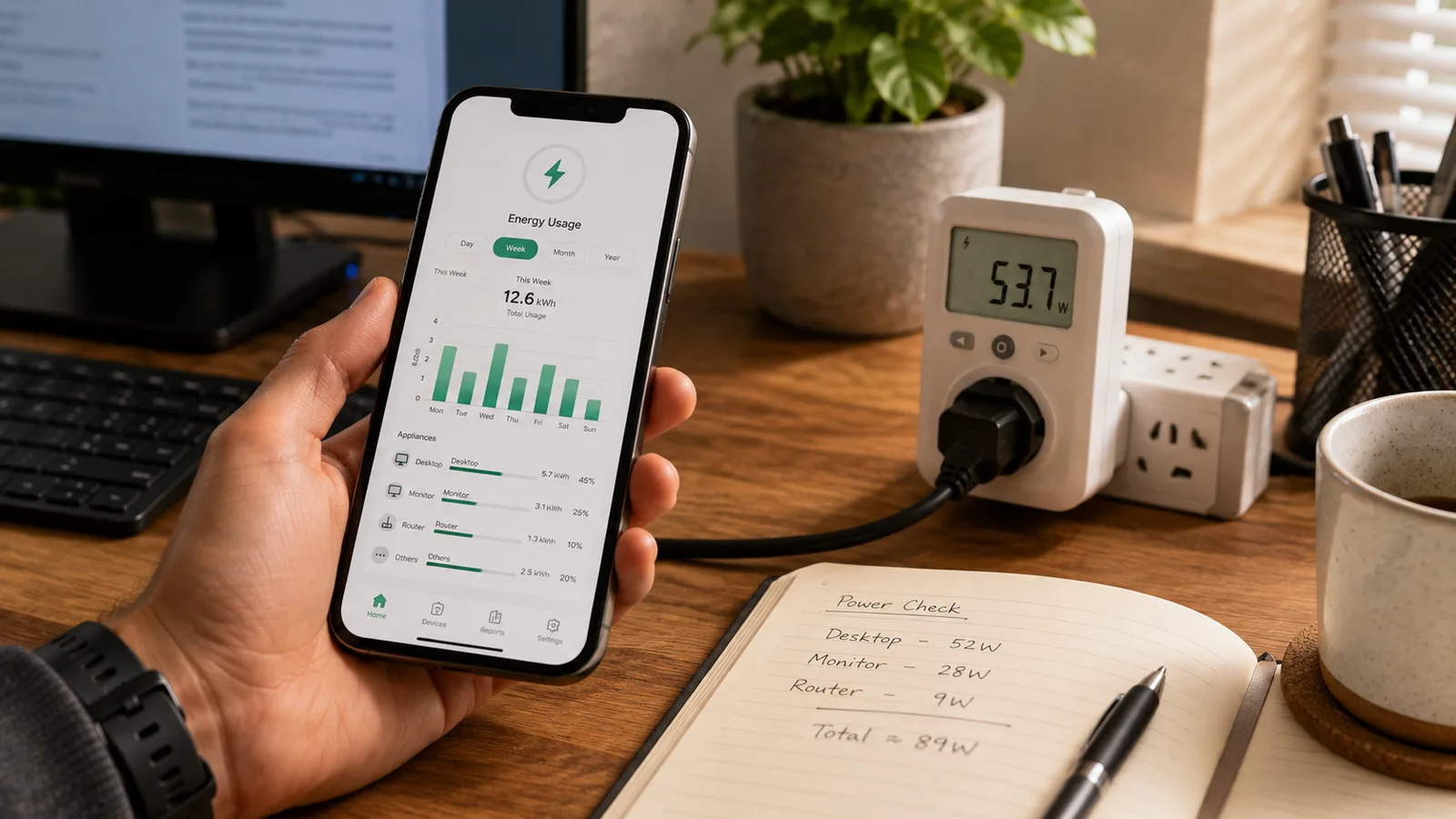
- Write down two things: the live watts under load, and the kilowatt-hours it added over the day. The first tells you the peak; the second is what you actually pay for.
- Do not skip standby. Check what each device draws once you have finished for the day. A printer or an old monitor left on overnight can cost more asleep than awake, simply because it is asleep for far longer.
- Add a winter pass if you use a space heater. It will almost certainly be the largest number on your list, by a wide margin.
Turning kWh into a real number
Once you have the kilowatt-hours, the cost is simple arithmetic: kWh used multiplied by your electricity rate. In the US that rate averages around 17 cents per kWh in 2026, but yours is printed on your own bill and is the only one that matters.
A worked example makes it concrete. A desktop and two monitors pulling roughly 200 watts over an eight-hour day use about 1.6 kWh, or near 35 kWh across a 22-day work month. At 17 cents that is about $6 a month, or near $70 a year, for the core setup. A laptop-only desk might be a third of that. Now add a 1,500-watt space heater running half the day through winter and you are looking at another 165 kWh a month, more than $25 on its own, which is exactly why the heater is the first thing worth measuring and the first thing worth putting on a timer. For whether scheduling that gear actually pays for itself, we ran the numbers separately in do smart plugs save money.
Why measure a home office, not just the house
There are three reasons this is worth doing for a work space in particular, and only one of them is saving money.
The first is evidence. If you claim a home-office electricity deduction, or your employer reimburses part of your running costs, a monitor turns a guess into real kilowatt-hour figures you can show. Whether you qualify and how you claim it is a question for your local tax rules or your accountant, but the measurement is the part a monitor hands you.
The second is sizing. If you are weighing up a UPS to ride out outages, or a small battery or solar setup, you need your real desk load first, and a monitor gives you the watt figure those purchases depend on.
The third is finding the one hog. Almost every home office has a single device quietly dominating the bill, usually a space heater, an always-on desktop, or a printer that never truly sleeps. You cannot fix it until you can see it, and once you can, the fix is often just a schedule or a switch. For the wider view of what across a whole home actually trims a bill, see how home automation saves energy.
What this post does not cover
This is a guide to measuring and monitoring a home office's electricity, not a savings-math breakdown, which lives in do smart plugs save money, and not a whole-home efficiency plan, which is in how home automation saves energy. Nothing here is electrical, financial, or tax advice: a monitor gives you numbers, but how you claim a deduction or wire a circuit is a matter for a professional. Device prices, accuracy ratings, and app features change often, so confirm the current details on each maker's own page before you buy.
Sources
- The best home energy monitors (2026), EnergySage (independent overview of monitor types and whole-home picks)
- Tapo P110 energy-monitoring smart plug, TP-Link (specs, energy monitoring, and bill estimation)
- Eve Energy, Eve (local, private power measurement for Apple Home)
- Emporia Vue whole-home energy monitor, Emporia (panel-mounted whole-home monitoring)
- Electricity prices and factors affecting them, US Energy Information Administration (the residential kWh rate behind the cost math)
Frequently asked questions

Written by
Tapabrata Biswas
Tech Researcher
I test AI productivity tools and research home-automation gear the way most people use them. Not in a lab, but on an ordinary desk with an ordinary internet connection. The only test that matters: does it save you time?
Share the Post with Your Besties
Get the plain-English tech brief
One email a week on AI tools and smart-home tech. No jargon, no hype.