Home Assistant Green Review: What You Actually Buy, and What You'll Add Later
An honest Home Assistant Green review: the dongles it needs, the 32GB ceiling, and whether it beats a Raspberry Pi 5 at $199 in 2026.

Researched with AI assistance, reviewed and edited by Tapabrata Biswas.
In this article
- 01What is the Home Assistant Green?
- 02What it can't do out of the box
- 03The dongle situation, which changed twice in 2025
- 04The gotcha nobody puts on the box
- 05The 32GB ceiling
- 06Home Assistant Green versus a Raspberry Pi 5
- 07What it costs to actually finish the job in India
- 08Who should buy it
- 09What this post does not cover
- 10Sources
The Home Assistant Green costs $199, and the dongle it needs to talk to most smart-home gear costs another $49 that isn't in the box. That gap between "the hub" and "a working smart home" is the thing almost no review leads with, and it's what this one is about.
These picks and judgements come from Home Assistant's published specs, independent expert testing, and owner consensus, not from our own lab testing. This covers whether Green is the right buy and where it stops. If you're weighing how to get Home Assistant running at all, the full setup walkthrough covers the install and the price history in depth, and this review won't repeat that ground.
What is the Home Assistant Green?
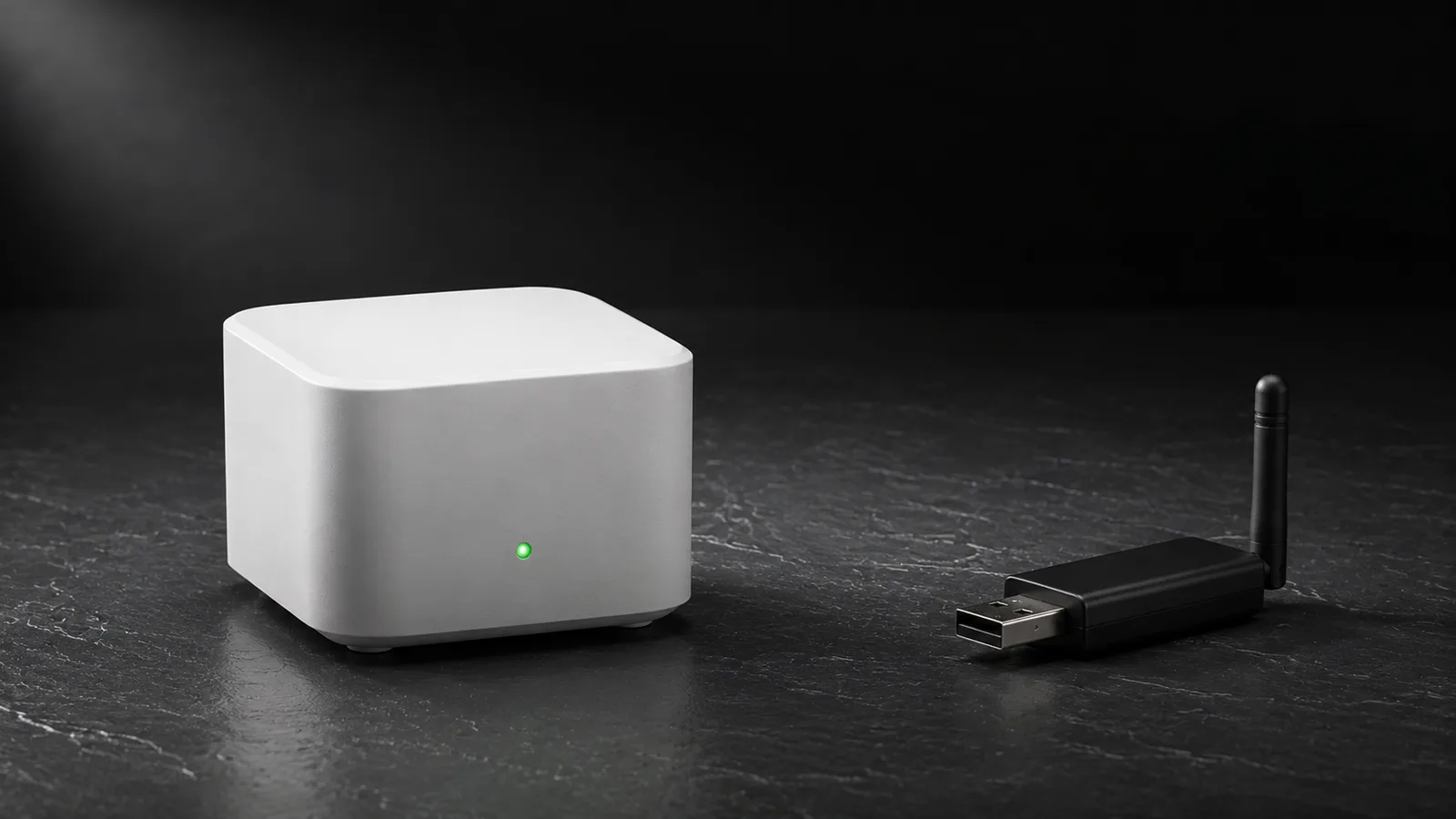
The Home Assistant Green is the official plug-and-play hub for Home Assistant, built by Nabu Casa, that ships with the software already installed so you skip the setup most people find intimidating. Connect power, plug in the Ethernet cable, open the app, and you're running in a couple of minutes. No flashing, no Linux, no config files.
Inside is a Rockchip RK3566 quad-core processor at 1.8GHz, 4GB of RAM, and 32GB of eMMC storage, in a silent passive-cooled case that draws about 1.7 watts at idle. It sits, performance-wise, between a Raspberry Pi 4 and a Pi 5. At $199 or 179 euros on Home Assistant's own store, it's the only officially sold Home Assistant hardware as of July 2026.
That's the part the marketing covers well. The rest of this review is the part it doesn't.
What it can't do out of the box
Home Assistant Green controls Wi-Fi devices on your network the moment it boots, and nothing else wireless without help. It has no Zigbee, no Thread, no Z-Wave, and no Bluetooth radio inside.
For a lot of buyers that's the surprise. A smart home built on Philips Hue, IKEA sensors, Aqara devices, or most affordable smart-home kit runs on Zigbee or Thread, and Green can't hear any of it until you add a USB dongle. There's also no Wi-Fi, so the Ethernet cable isn't a suggestion, it's the only way the hub reaches your network.
This isn't a flaw exactly. Keeping the radios external means you can position the antenna away from the hub, replace a dongle without replacing the box, and pick the exact protocol you need. But it does mean the sticker price is not the price of a working system, and that deserves to be said before you buy, not after.
The dongle situation, which changed twice in 2025
Adding wireless protocols to Green means buying a Connect dongle, and the lineup was overhauled through 2025, so older advice is stale.
Home Assistant is a language, and the radios underneath it are separate hardware. That distinction, covered more fully in what a Thread border router does, is exactly why Green needs add-ons. Here's the current lineup, which is the part reviews from early 2025 get wrong:
| Dongle | Handles | Price | Replaced |
|---|---|---|---|
| Connect ZBT-2 | Zigbee or Thread | $49 / €45 | SkyConnect, then ZBT-1 (discontinued) |
| Connect ZWA-2 | Z-Wave | $69 / €59 | earlier Z-Wave sticks |
The Connect ZBT-2 shipped on 19 November 2025 and replaced the adapter you'll still see called SkyConnect in half the guides online. That old name became Connect ZBT-1, and it's discontinued. The ZBT-2 added an external antenna, a data rate roughly four times faster at 460,800 baud, and a newer Silicon Labs MG24 chip. Existing SkyConnect units keep working, but a review recommending "the SkyConnect" today is describing a product you can no longer buy.
The Connect ZWA-2 arrived earlier, on 13 August 2025, and it exists as a separate dongle for a real reason: Z-Wave runs in the sub-GHz band around 865 to 926 MHz, well away from the crowded 2.4GHz spectrum where Wi-Fi, Bluetooth, Zigbee, and Thread all fight for room. That lower frequency gives Z-Wave noticeably better range through walls, which is why some people run it alongside Zigbee rather than instead of it. It carries the Z-Wave 800 chip and supports Z-Wave Long Range.
The gotcha nobody puts on the box
One ZBT-2 runs Zigbee or Thread, not both at the same time. If you have Zigbee devices and Thread devices, one dongle won't serve both, and you'll need a second.
Nabu Casa's own FAQ is direct that the ZBT-2 can't do both protocols simultaneously, and that this was deliberate: their testing with the older ZBT-1 showed multiprotocol operation "doesn't work well." So the honest planning math for a mixed home is Green plus a ZBT-2 for Zigbee plus either a second ZBT-2 for Thread or a Thread border router elsewhere in the house.
For most people starting out this doesn't bite, because you commit to Zigbee or Thread and stay there. But if you're the kind of buyer who mixes ecosystems, it's a real cost and a real limitation, and it's the single thing I'd want to know before ordering.
The 32GB ceiling
The storage, not the processor, is what most people eventually run into. 32GB of eMMC is comfortable for a normal home and cramped for an ambitious one.
For a typical setup, roughly 30 to 50 devices with automations, dashboards, and an energy monitor, 4GB of RAM and 32GB of storage are genuinely enough, and independent owners running Green for a year report it staying stable and quick at that scale. The wall is data volume. Recording camera streams through Frigate, keeping months of high-resolution sensor history, or stacking a large add-on like a media server on the same box will fill 32GB faster than you'd expect, and unlike a Raspberry Pi there's no SD card to swap for a bigger one. The storage is soldered.

32GB is a small jar. Fine for the everyday amount, and quick to overflow the moment you ask it to hold camera footage and months of history.
There's a genuine upside to that soldered storage, though, and it's the thing that makes Green more reliable than a casual Pi build: eMMC is designed for constant writes. Home Assistant writes to its database all day, and a standard microSD card degrades under that load and eventually corrupts, which is one of the most common causes of a Pi-based system going unresponsive. That failure mode, covered in why the storage type matters for reliability, is one Green mostly sidesteps by design. You trade expandability for durability.
Home Assistant Green versus a Raspberry Pi 5
At $199, the honest comparison is closer than Green's marketing implies, and which one wins depends entirely on how you feel about a ten-minute setup.
| Home Assistant Green | Raspberry Pi 5 (4GB) | |
|---|---|---|
| Software | Pre-installed | You flash it |
| Storage | 32GB eMMC, soldered | microSD or SSD, your choice |
| Wi-Fi / Bluetooth | None | Built in |
| USB | 2x USB 2.0 | 2x USB 3.0 + 2x USB 2.0 |
| Setup effort | Plug in and go | About 10 minutes |
| Board price | $199 / €179 | around $90 for the board |
The Pi board is cheaper on its own, but a fair comparison adds an SSD, a case, and a proper power supply, and by then the totals are close. So the decision isn't really about money, it's about what you want to spend effort on. Green is the right call when you want the smart home and not the project: no flashing, official support, and a box that just works. The Pi 5 is the better buy when you want expandable storage, faster USB, built-in Wi-Fi, or the freedom to use the machine for other things too.
The reviewer consensus lands in the same place. For a non-technical buyer, Green is worth the premium for the zero-setup experience. For anyone already comfortable with a Raspberry Pi, the Pi 5 offers more headroom for similar money, and the case for Green got weaker when the price moved from its old sub-$100 launch figure up to $199. If you want the hub comparison beyond Green, how it compares to other Matter hubs covers the wider field.
What it costs to actually finish the job in India
Home Assistant Green is stocked by Indian retailers, but the true cost is the hub plus the dongles you need, not the hub alone.
Green sells through ElectronicsComp and Fab.to.Lab among others, though stock comes and goes. The number worth planning around: a Zigbee-and-Z-Wave home means Green at $199, a ZBT-2 at $49, and a ZWA-2 at $69, which is roughly $317 before any import duty or local markup. That's a real figure to weigh against a Raspberry Pi 5 with a USB Zigbee coordinator, which can come in lower and is often easier to source parts for locally.
The power-cut point from running any always-on server in India applies here too, and Green handles it slightly better than a Pi on an SD card, since eMMC is far less likely to corrupt on a sudden power loss. A small UPS still earns its place, but the storage is one less thing to worry about.
Who should buy it
Buy the Home Assistant Green if you want a private, local smart home and you don't want the setup to be a hobby in itself. It's for the person who'd rather spend an evening automating their lights than flashing an operating system, and it's the safest recommendation for a non-technical household that values official support.
Skip it, or at least think harder, if you already own a Raspberry Pi, if you know you'll record cameras or hoard sensor history that the 32GB can't hold, or if you enjoy building the thing yourself. None of those buyers are the target, and they'll feel the ceiling.
The one recommendation that holds for everyone: whatever you run Home Assistant on, budget for the dongle before you order, not after the box arrives and you discover your Zigbee sensors are invisible.
What this post does not cover
This is a buyer's-guide review of the Home Assistant Green hub and the dongles it needs, aimed at the buy-or-not decision. It doesn't walk through installation or onboarding, which the full setup walkthrough handles, and it doesn't cover the Home Assistant Voice hardware, which is a separate product.
Building your own server from parts, choosing between installation methods, and configuring individual integrations are all out of scope. Prices were accurate as of July 2026 and, as Nabu Casa itself warned, are likely to keep moving; check the official store before buying. Nothing here is affiliate-linked.
Sources
- Home Assistant Green, Home Assistant (official specs and price)
- Home Assistant Connect ZBT-2, Home Assistant
- Z-Wave reborn: Home Assistant Connect ZWA-2, Home Assistant, 13 August 2025
- Home Assistant ZBT-2 coordinator review, SmartHomeScene, 19 November 2025
- Home Assistant Green review, Neil Turner, 29 July 2025
Frequently asked questions

Written by
Tapabrata Biswas
Tech Researcher
I test AI productivity tools and research home-automation gear the way most people use them. Not in a lab, but on an ordinary desk with an ordinary internet connection. The only test that matters: does it save you time?
Share the Post with Your Besties
Get the plain-English tech brief
One email a week on AI tools and smart-home tech. No jargon, no hype.